MediArchive
MediArchive, a media asset management system: broadcasters and production companies keep whole video archives in it, from ingesting the raw footage to handing finished packages to editors and partners.
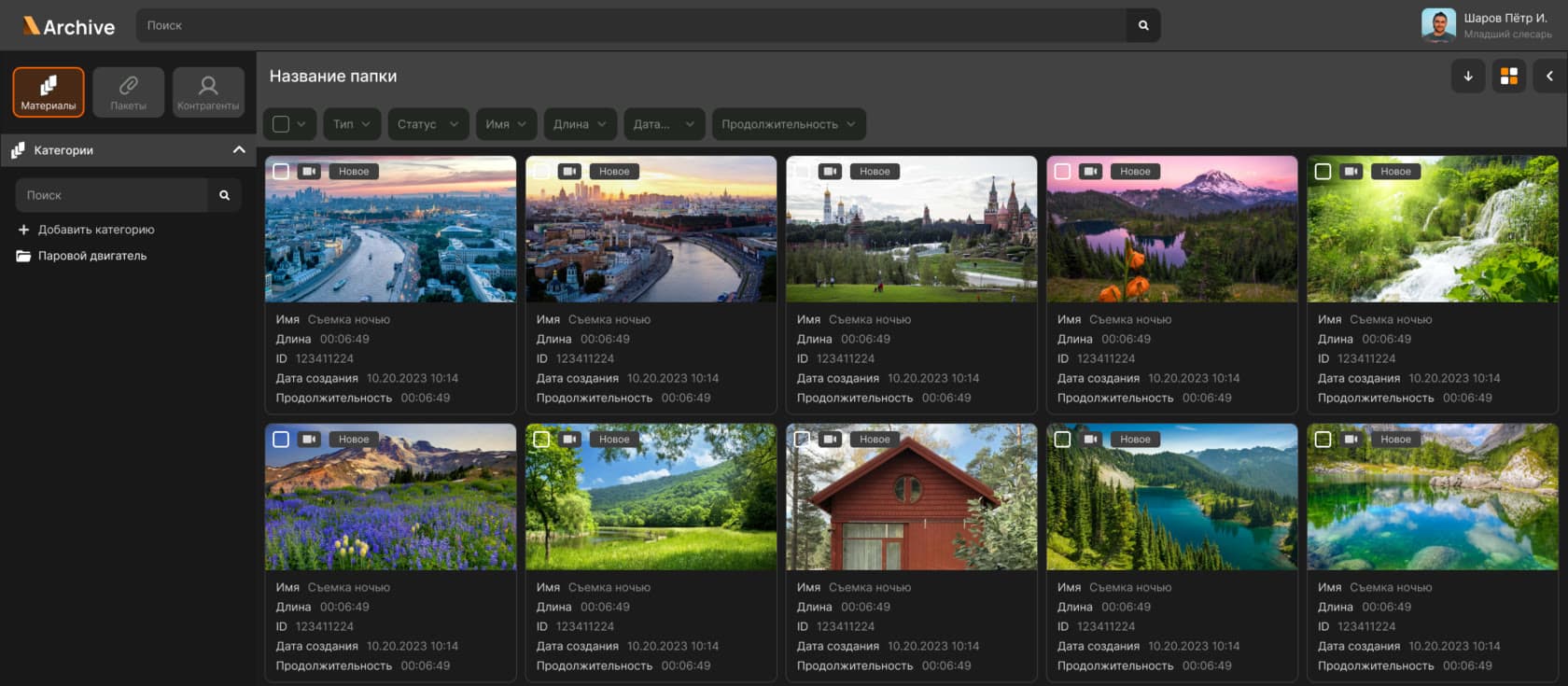
Outcome
- −70%
- of the content processing time: proxy copies and scene detection run automatically
- 3
- delivery options: SaaS, an appliance and installation inside the customer’s infrastructure
- 4
- access roles: administrator, archivist, content manager and editor
Product screens
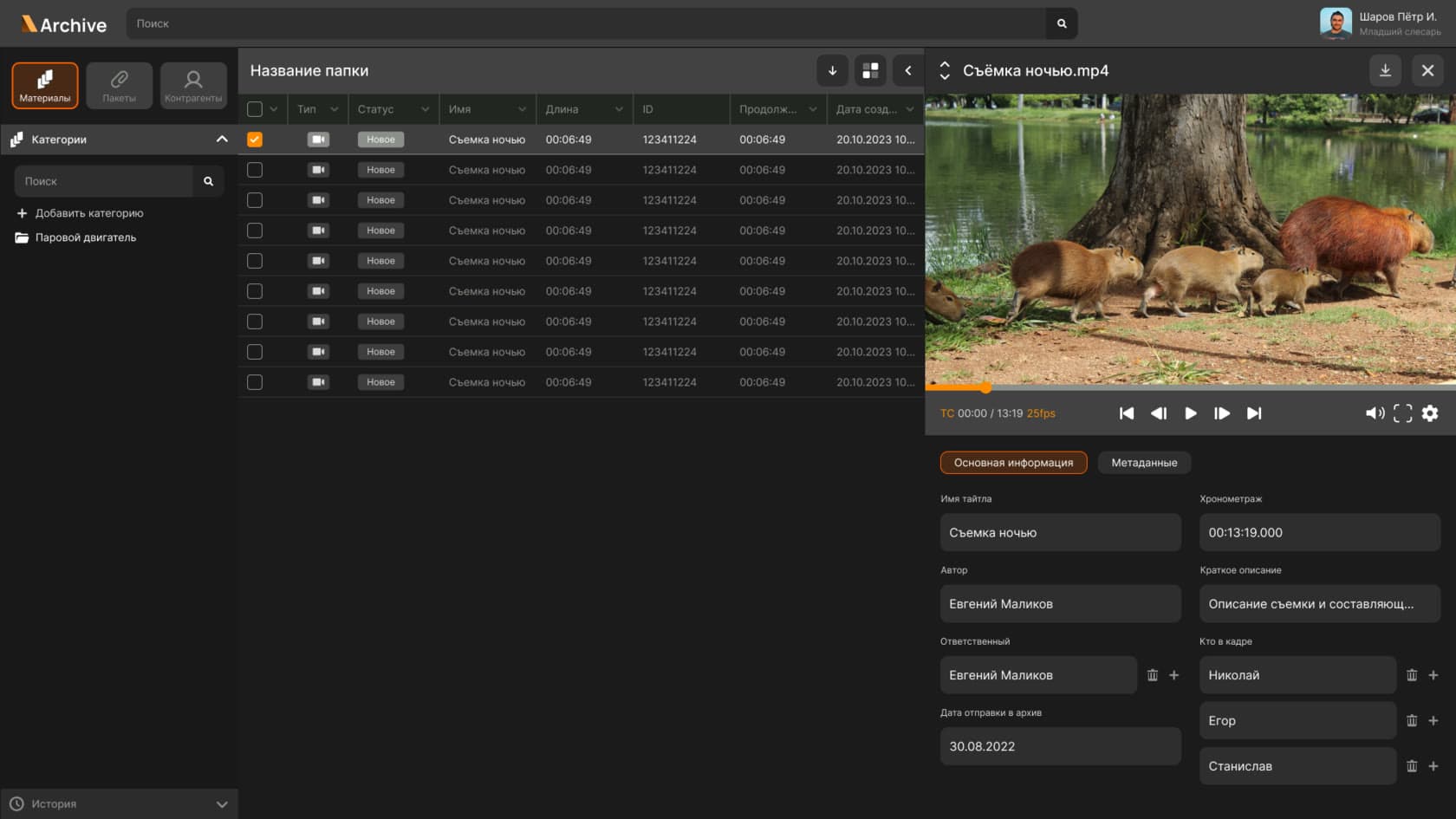
The viewer: the material grid on the left, the player with its timecode and the metadata panel on the right. The panel’s fields come from configuration rather than from code.
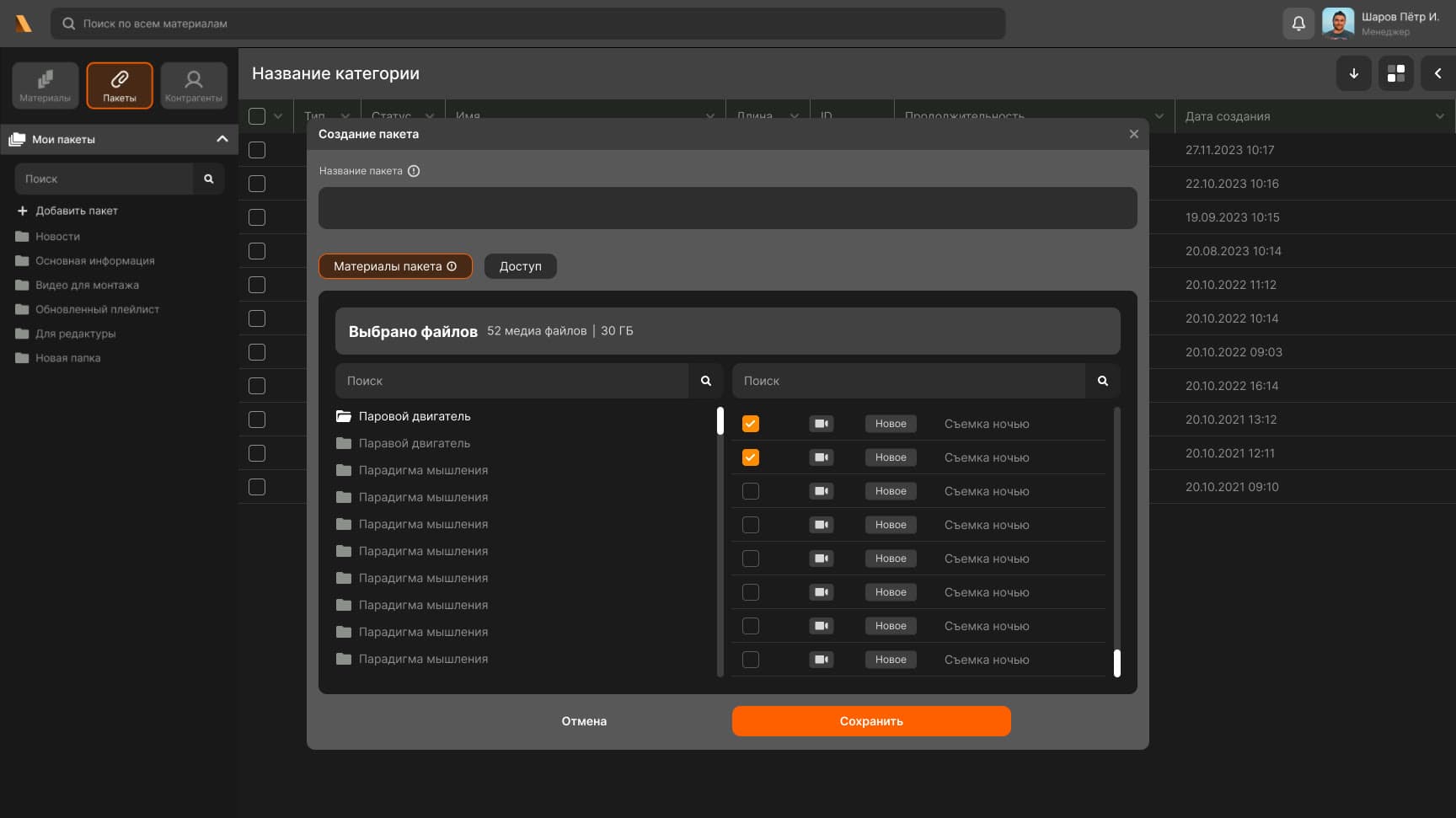
Assembling a package: material is picked from the category tree and the counter shows the volume — 52 files and 30 GB. The next tab sets who the package will be available to.
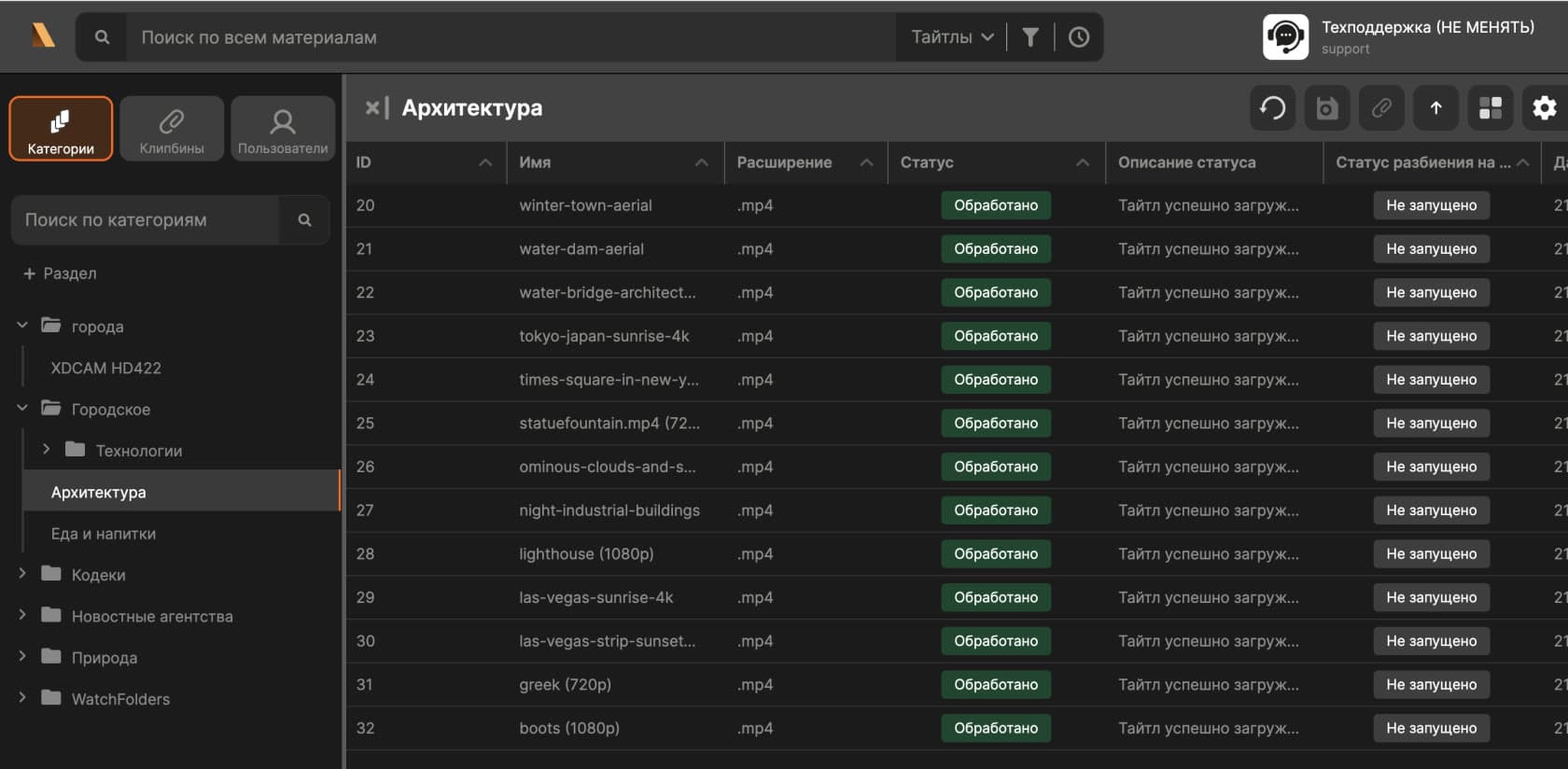
A category grid: every title carries its upload status and its scene-detection status, so you can see which step of the pipeline the file is on right now.
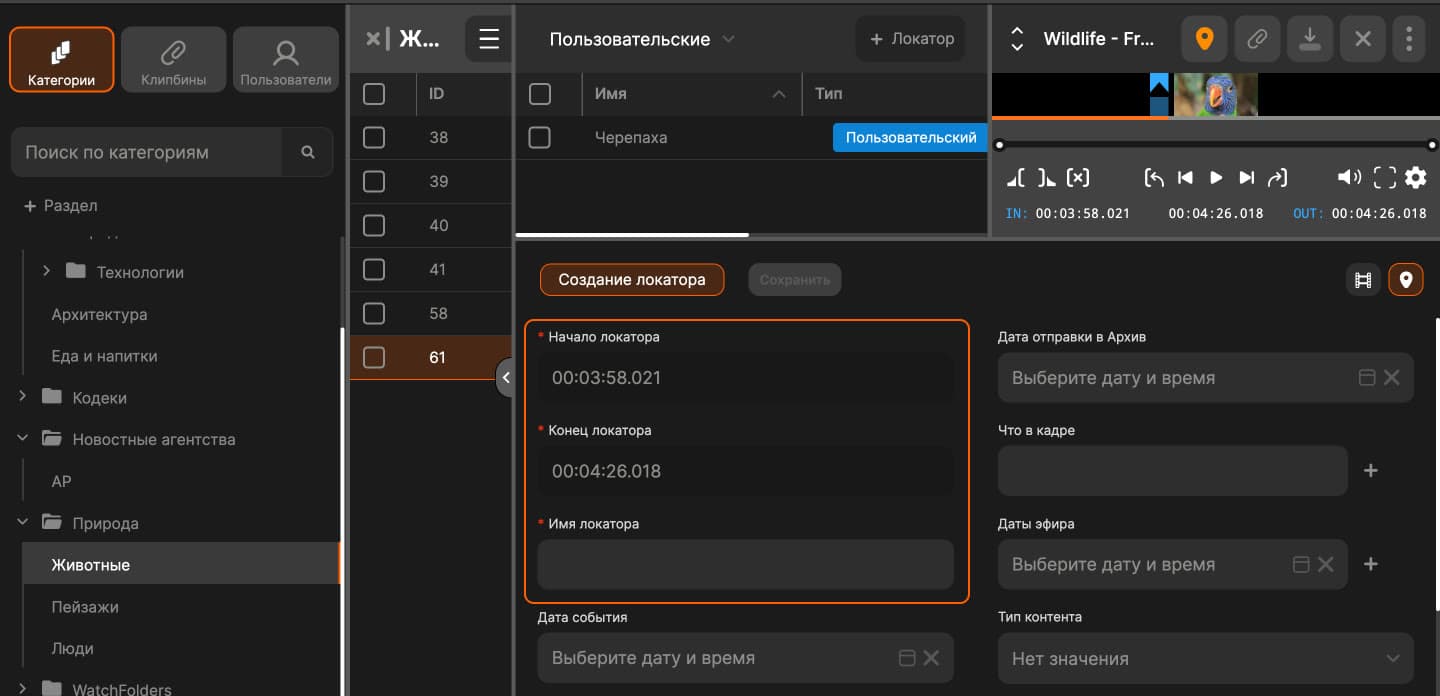
Markup mode: a locator is set by IN and OUT timecodes straight in the player. Scenes found by AI sit in the same grid and turn into user locators once edited by hand.
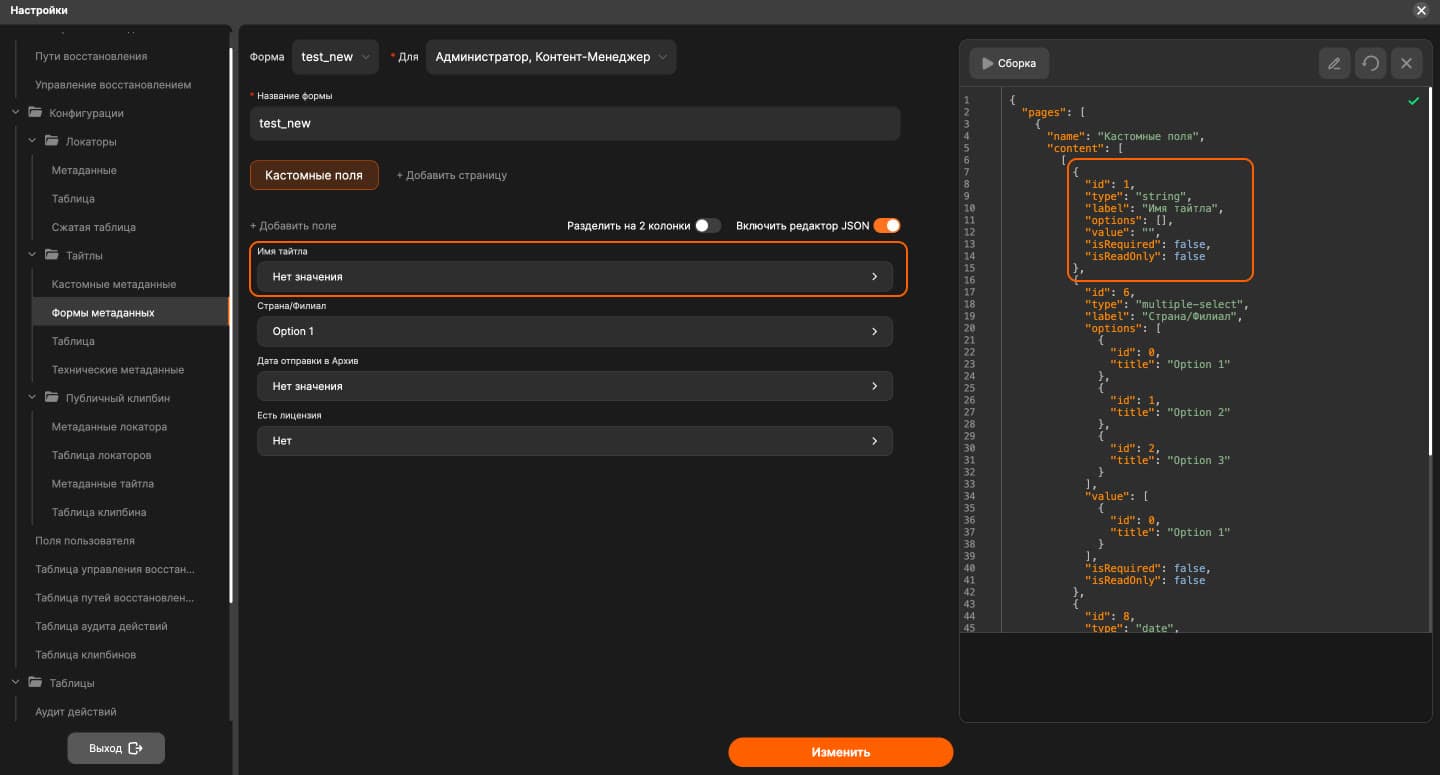
The metadata form builder: the assembled form on the left, its JSON on the right. The form is bound to roles, so each installation describes its own archive without a release.
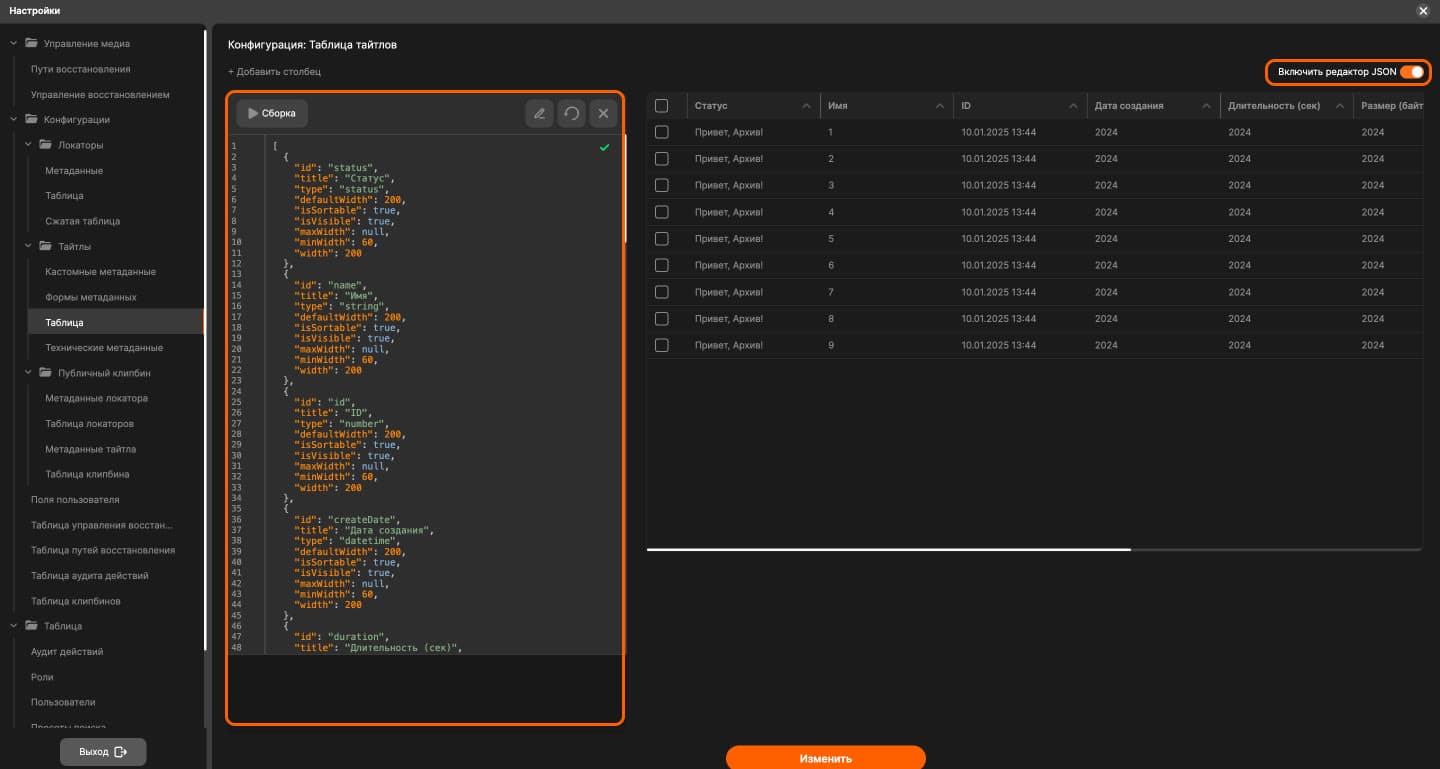
The title table configuration: columns, their types, widths and visibility are described in JSON, and the preview on the right updates immediately.
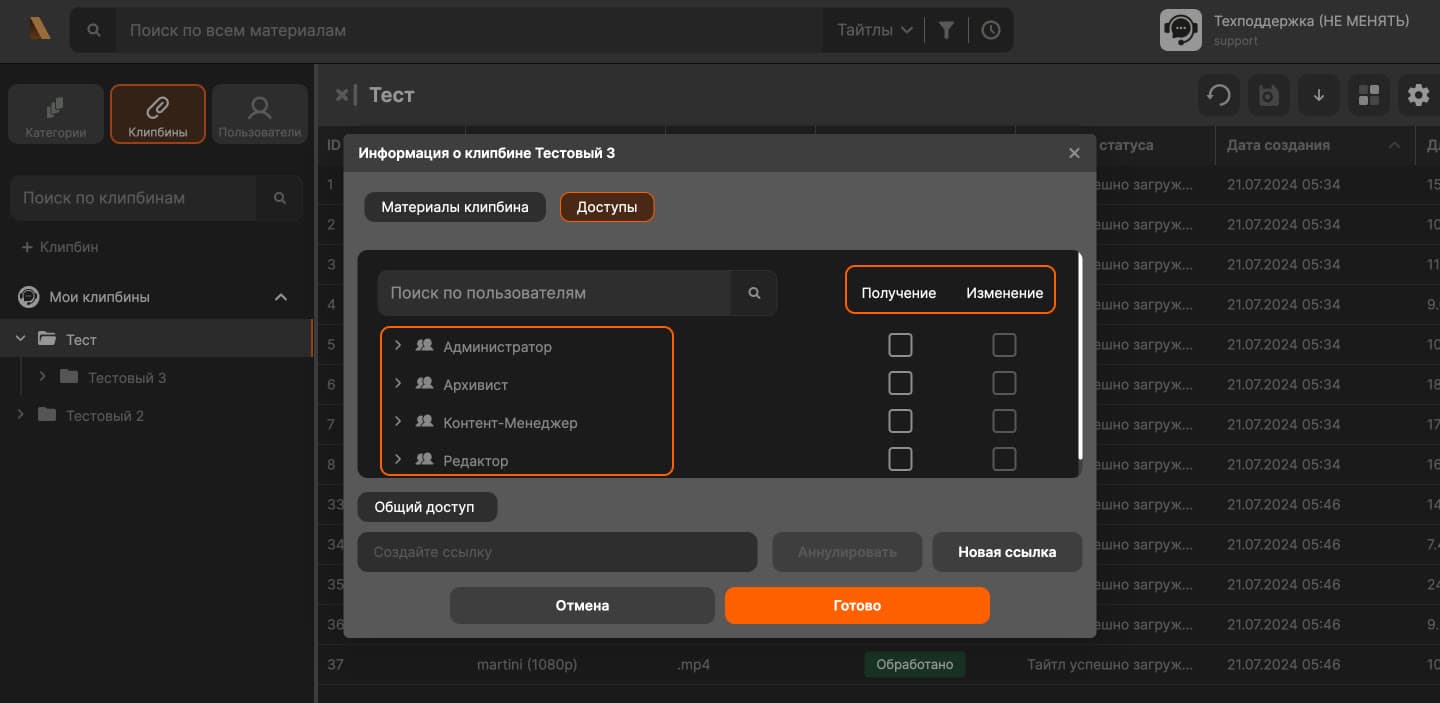
Clipbin permissions: read and write rights are granted per role. A public link is generated separately and can be revoked.
The business problem
A broadcaster’s video archive is terabytes of footage people come back to for years. As long as material is described by hand and the metadata lives in spreadsheets, an editor spends more time finding the right shot than cutting it. The product had to cover the whole path of a file — ingest, description, storage, processing and delivery — and install in three modes, because a TV channel will not put its archive in someone else’s cloud. One more requirement: every customer has its own description fields and its own roles, and changing them cannot mean a release for a single installation.
My role
Product Tech Lead: I owned the architecture of MediArchive and kept the client, the domain backend and the media pipeline adding up to one product rather than three separate services. I split the system into modules, set the contracts between them, ran code review, worked through incidents on customer installations and planned releases with the team — including version 1.8 with AI search, custom title states and real-time updates.
The solution
The client is React with Effector: the category tree, the grids, the viewer and the settings share one store, so the table, the player and the metadata panel never drift apart. The server side is split: NestJS holds the domain — categories, clipbins, permissions, metadata — while Python services on FastAPI handle the media: proxy copies, thumbnails, scene detection. RabbitMQ sits between them, so long processing never blocks the interface and survives a service restart. Data lives in MongoDB and PostgreSQL. The shape of the system is not hard-coded: tables and metadata forms are described by JSON configurations with an editor and a live preview inside the settings, and a form is bound to a role, so an archivist and an editor see different fields on the same title. Ingest goes through WatchFolder: a folder on the user’s machine syncs into a category and resumes uploading after network failures. Material is marked up with locators on IN/OUT timecodes; scenes found by AI land in the same grid and become user locators once edited by hand. Builds and rollout run on Docker and Jenkins, and the product ships as SaaS, as an appliance and inside the customer’s own infrastructure. MediArchive is registered with Rospatent and listed in the Russian software registry.